

Tally integration
Tally integration for manufacturers
FactoryPulse AI connects to Tally on your Windows computer and shows your sales, expenses and profit and loss on one dashboard, next to your production, orders and stock. It only reads from Tally. It never writes anything back, so your books stay exactly as your accountant keeps them.
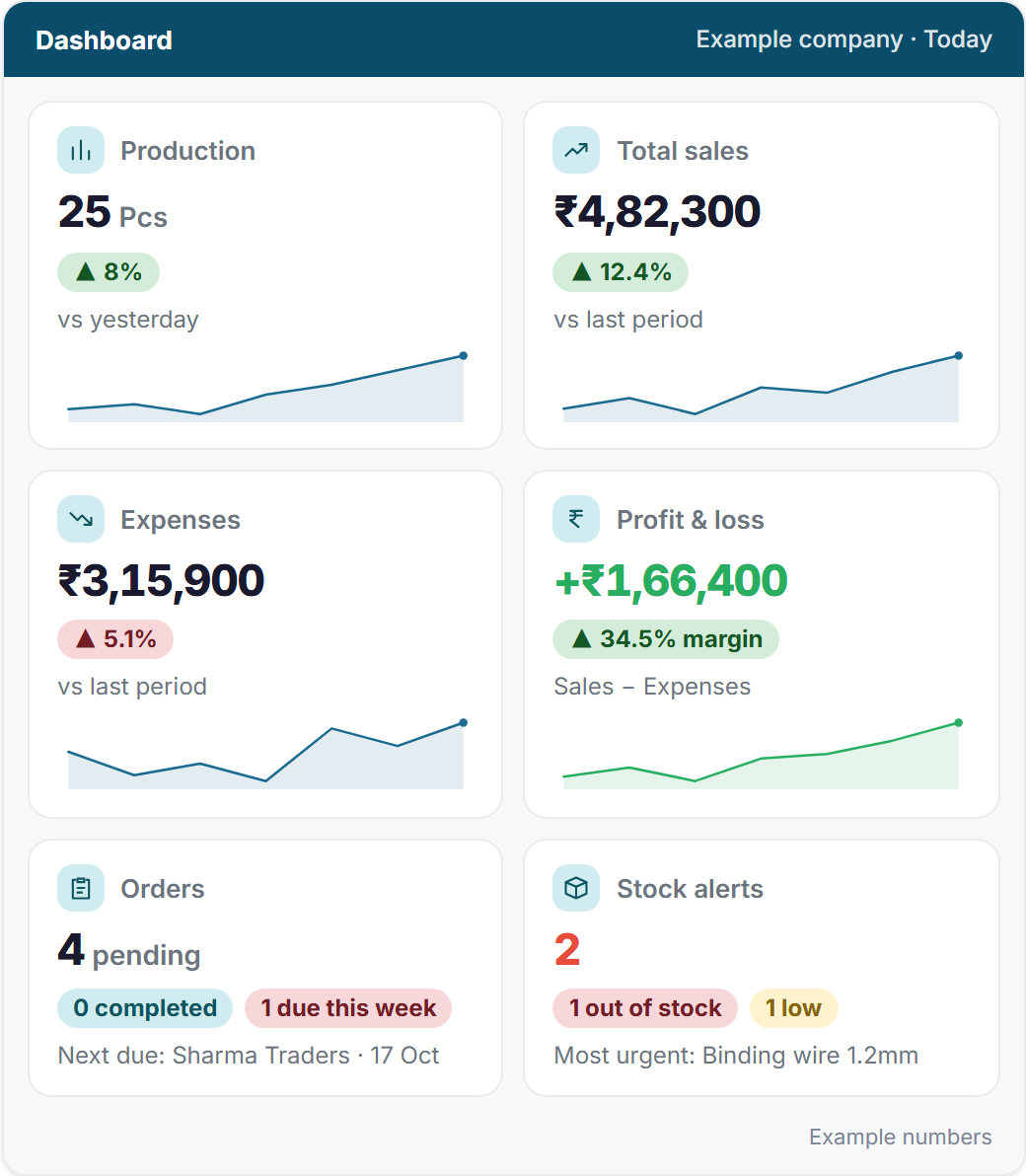
What you see from your Tally books
- Sales, expenses and profit and loss, compared with the last period.
- Your customers and suppliers, as parties you can open one by one.
- The vouchers read from Tally, and your ledgers.
- Cash and bank balances.
- Finance reports you can open when you need one.
- Payment reminders to customers, sent by people you give that permission. By default each batch is shown to you for approval first.
How the connection works
- Install the FactoryPulse Agent on the Windows computer that runs Tally and holds your company data.
- Choose your company in the setup window and pair it with a one-time code from your FactoryPulse AI account.
- Your figures start to arrive within a few minutes. The screen always shows when Tally was last read, so you know how recent the numbers are.
Tally has to be open with your company open on that computer for new entries to be read. Nothing is lost while it is closed: entries are read as soon as the company is open again.
Read-only, and only for the right people
- FactoryPulse AI never writes to Tally.
- Only the people you invite can see the figures, and only the areas their department allows. Finance data is not shown to production staff.
- Each company is kept fully separate from every other company.
Not using Tally yet?
You do not need Tally to start. Production, orders and inventory work on their own from day one, and you can connect Tally whenever you are ready. Every plan starts with a 14-day free trial.
Questions about the Tally connection
- How do I connect Tally to FactoryPulse AI?
- Install the FactoryPulse Agent on the Windows computer that runs Tally and holds your company data, choose your company and pair it with a one-time code. Your figures start to arrive within a few minutes.
- Can FactoryPulse change my Tally data?
- No. It only reads from Tally. It never writes anything back, so your books stay exactly as your accountant keeps them.
- How recent are the figures?
- They are as recent as the last time Tally was read, and the screen shows when that was. New entries are read while Tally is open with your company open on the connected computer.
- Do I need Tally to use it?
- No. Production, orders and inventory work on their own. If you use Tally, connect it when you are ready and your sales, expenses and profit appear on the dashboard.